Memory cards are easy to overlook until one is too slow for your camera’s video mode, fills up mid-shoot or fails. Card labels are crowded with symbols and numbers that are confusing at first glance. Once you understand the main formats and ratings, choosing the right card becomes straightforward.
This guide explains card types, speed ratings and habits that protect your photos. Always check your camera or drone manual for the card types and speed classes it supports.
Card Formats
SD Cards
Secure Digital (SD) cards are the most common format in cameras. They come in capacity classes:
- SDHC: Up to 32GB
- SDXC: Over 32GB up to 2TB
- SDUC: Larger capacities, with limited device support
Your camera must support the capacity class you choose.
microSD Cards
Smaller versions of SD cards, used in drones, action cameras and phones. Adapters let them fit in SD slots. See DJI Mini drones compared.
CFexpress Cards
Fast cards used in many higher-end cameras for high-resolution bursts and high-bitrate video. CFexpress comes in different types (such as Type A and Type B) that are not interchangeable. Check which type your camera uses.
Other Formats
Some older or specialized cameras use CompactFlash or XQD cards. Some XQD cameras accept CFexpress Type B with firmware updates; check your manufacturer.
Bus Interfaces: UHS-I and UHS-II
SD cards use bus interfaces that affect maximum speed.
- UHS-I cards have one row of contacts
- UHS-II cards have a second row of contacts for faster transfer speeds
UHS-II cards work in UHS-I slots but at UHS-I speeds. If your camera supports UHS-II, those cards can clear buffers faster in burst shooting.
Speed Ratings
Cards display several speed markings:
Speed Class
A “C” with a number, such as Class 10, indicates minimum sustained write speed in megabytes per second.
UHS Speed Class
A “U” with a number, such as U1 or U3. U3 indicates a higher minimum sustained write speed than U1.
Video Speed Class
A “V” with a number, such as V30, V60 or V90. The number indicates minimum sustained write speed in megabytes per second, designed for video recording. Many cameras specify which V class is needed for certain video modes.
Maximum Read and Write Speeds
Cards often advertise maximum read speeds in large numbers. Write speed matters more for recording, and sustained speed matters more for video than peak speed.
Choosing the Right Card
- Check your manual for supported formats and recommended speed classes.
- Match video needs with the recommended V class.
- Consider burst shooting if you shoot sports or wildlife.
- Choose capacity based on how much you shoot between offloads.
Capacity Considerations
Larger cards hold more but put more images at risk if a card fails. Some photographers prefer multiple medium-capacity cards and rotate them.
Dual Card Slots
Cameras with two slots can record to both cards simultaneously for backup or split RAW and JPEG files. This is valuable for events like weddings.
Avoiding Counterfeits
Counterfeit cards may report false capacity or speeds. Buy from reputable retailers. Test new cards with your camera before important shoots.
Formatting Cards
- Format cards in your camera rather than on a computer to match the camera’s file system
- Format after backing up, rather than deleting files individually
- Format new cards before first use
Handling and Storage
- Store cards in protective cases
- Avoid removing cards while the camera is writing
- Turn the camera off before removing cards
- Label cards to track usage
Card Failures and Recovery
Cards can fail. If a card shows errors:
- Stop using it immediately
- Try data recovery software or services
- Replace the card
Backup Habits
Back up photos as soon as possible after shooting. A common approach is the 3-2-1 rule: three copies, on two types of media, with one copy offsite or in the cloud. See our photo editing workflow.
Card Readers
A fast card reader speeds up transfers. Match the reader to the card type and bus interface, and use a fast computer port.
Memory Cards for Phones and Other Devices
Some devices list A1 or A2 app performance classes, which matter for running apps from cards but not much for cameras.
Matching Cards to Drones and Action Cameras
Drones and action cameras typically use microSD cards and often record high-bitrate video. Check the manufacturer’s recommended card list, since some devices are sensitive to card speed and compatibility. Using a recommended card reduces the risk of dropped frames or recording errors.
Card Lifespan
Flash memory has a finite number of write cycles, though for typical photography use, cards usually last a long time. Cards used constantly for continuous recording, such as dashcams and security cameras, wear faster; high-endurance cards are designed for those uses.
Write-Protect Switches
Full-size SD cards have a small lock switch on the side. When locked, the camera cannot write or delete files. If your camera reports a locked card, check the switch.
Labeling and Tracking
When you own several cards, label each with a number. If a card produces errors, you will know which one to retire. Some photographers keep a simple log of when each card was purchased.
Traveling With Cards
Carry cards in a dedicated case in your carry-on. Upload or back up photos to a laptop, portable drive or cloud service during the trip when possible, so a lost card does not mean lost memories.
Formatting vs. Deleting
Deleting photos one by one leaves the file system fragmented over time. Formatting in camera after backup resets the card cleanly and can reduce errors.
Frequently Asked Questions
What memory card do I need for 4K video?
Check your camera manual. Many recommend V30 or higher.
Is UHS-II worth it?
If your camera supports it and you shoot bursts or transfer large files, yes.
Should I use one large card or several smaller ones?
Several smaller cards reduce risk if one fails.
Can I use microSD with an adapter in my camera?
It can work, but native SD cards are generally preferred.
Should I format cards in camera?
Yes, after backing up.
The Bottom Line
Choose memory cards by format, bus interface and speed class, matched to your camera’s requirements. Buy from reputable sellers, format in camera, rotate cards and back up photos promptly using a 3-2-1 approach.
Editorial note: Shutter Roost is independent and reader-supported. This guide is based on research into manufacturer documentation, published specifications and widely accepted best practices; we have not been paid to mention any product. If we add affiliate links in the future, they will be clearly disclosed per our Affiliate Disclosure.
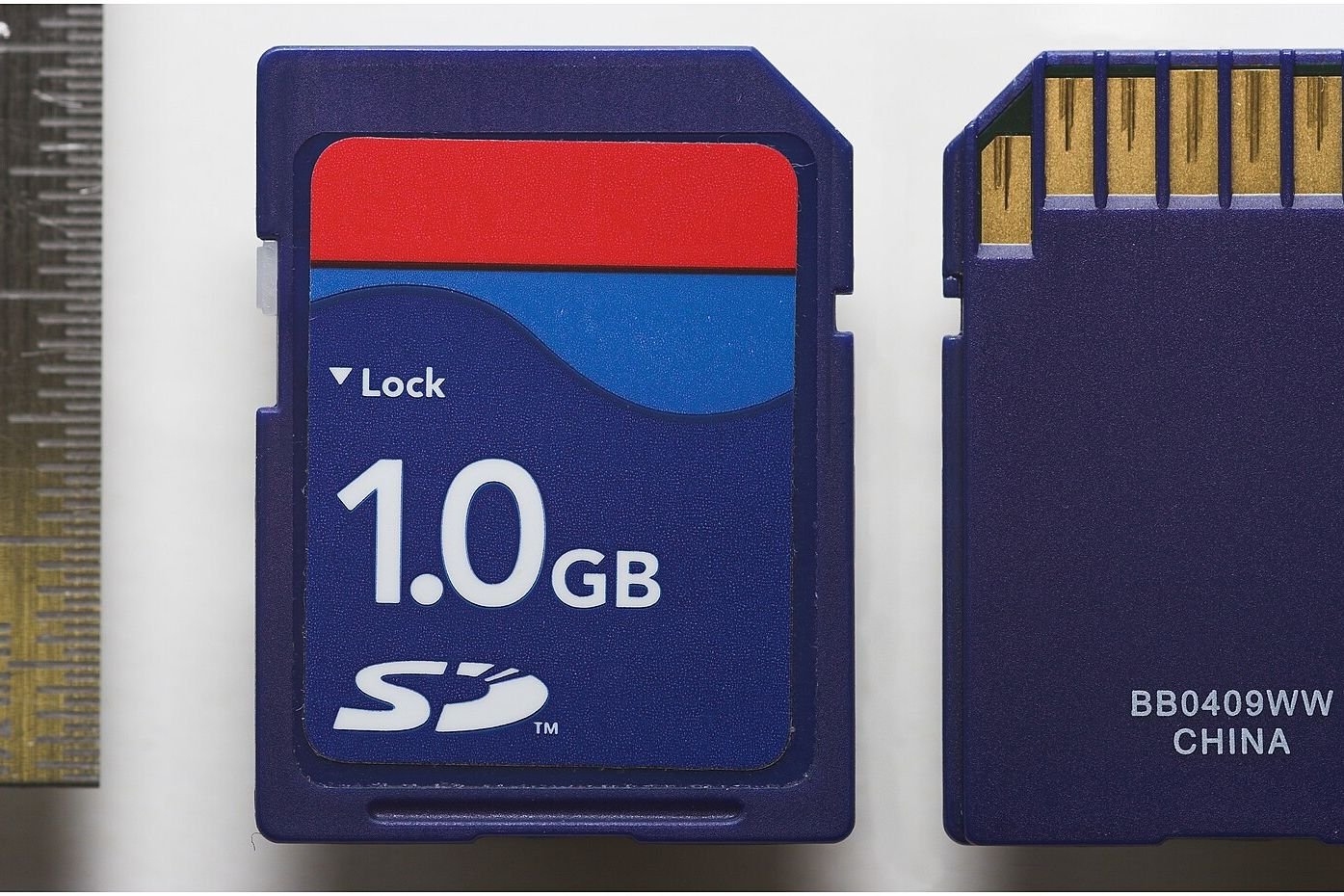
Photo: SD Card 1GByte both sides with scaleLabelRemoved by Unknown, CC BY 2.5