Exposure is how bright or dark a photo is. Three settings control it: aperture, shutter speed and ISO. Together they are often called the exposure triangle. Each setting also has creative effects, which is why learning them gives you far more control than automatic mode.
This guide explains each setting, how they interact and how to use them in practice.
Aperture
Aperture is the opening in the lens that lets light in. It is measured in f-numbers, such as f/1.8, f/4 or f/11.
- Lower f-numbers (like f/1.8) mean a wider opening and more light
- Higher f-numbers (like f/11) mean a smaller opening and less light
Depth of Field
Aperture also controls depth of field, or how much of the scene is in focus.
- Wide apertures create shallow depth of field with blurred backgrounds, popular for portraits
- Narrow apertures keep more of the scene sharp, popular for landscapes
Depth of field also depends on focal length, distance to subject and sensor size.
Shutter Speed
Shutter speed is how long the sensor is exposed to light, measured in seconds or fractions, such as 1/1000, 1/60 or 2 seconds.
- Fast shutter speeds freeze motion and let in less light
- Slow shutter speeds blur motion and let in more light
Motion Effects
- Freeze sports or wildlife with fast speeds
- Blur waterfalls or light trails with slow speeds on a tripod. See how to choose a travel tripod.
Camera Shake
Slow shutter speeds can cause blur from hand movement. A traditional guideline is to use a shutter speed at least as fast as one over the focal length, adjusted for crop factor. Image stabilization helps.
ISO
ISO controls the sensor’s sensitivity to light, or more precisely, how the signal is amplified.
- Low ISO (like 100) gives cleaner images but needs more light
- High ISO (like 6400) brightens images in low light but adds noise
Modern cameras handle higher ISOs better than older models. Noise reduction in editing can help. See our photo editing workflow.
How They Work Together
Changing one setting affects exposure, so you balance the others. For example:
- Open the aperture one stop to let in more light, then use a faster shutter speed to keep the same exposure.
- Raise ISO to allow a faster shutter speed in low light.
Each full “stop” doubles or halves the light.
Camera Modes
Auto
The camera chooses everything.
Aperture Priority (A or Av)
You choose aperture; the camera chooses shutter speed. Popular for portraits and landscapes.
Shutter Priority (S or Tv)
You choose shutter speed; the camera chooses aperture. Useful for sports and motion.
Manual (M)
You choose everything. Useful for consistent lighting and creative control.
Auto ISO
Many photographers use manual or priority modes with Auto ISO for flexibility.
Metering and Exposure Compensation
Cameras meter light to determine exposure. Bright scenes like snow can fool meters into underexposing, and dark scenes into overexposing. Exposure compensation lets you adjust brightness in priority modes.
Histogram
The histogram shows the distribution of brightness. Use it to avoid clipped highlights and shadows.
Practical Starting Points
| Situation | Starting approach |
|---|---|
| Portrait | Wide aperture, shutter fast enough to avoid blur, low ISO |
| Landscape | Narrower aperture, tripod if needed, low ISO |
| Sports | Fast shutter, wide aperture, raise ISO as needed |
| Low light indoors | Wide aperture, stabilization, raise ISO |
| Waterfall blur | Slow shutter on tripod, ND filter in daylight |
Practice Exercises
- Photograph the same subject at several apertures
- Photograph moving water at different shutter speeds
- Take photos at increasing ISOs to see noise
Stops Explained Simply
Photographers talk about “stops” of light. One stop doubles or halves the light. Common full-stop sequences look like this:
- Aperture: f/1.4, f/2, f/2.8, f/4, f/5.6, f/8, f/11, f/16
- Shutter speed: 1/1000, 1/500, 1/250, 1/125, 1/60, 1/30
- ISO: 100, 200, 400, 800, 1600, 3200
Moving one step in any of these sequences changes exposure by one stop. Many cameras use third-stop increments between these values for finer control.
Neutral Density Filters
ND filters reduce light entering the lens, allowing slower shutter speeds or wider apertures in bright conditions. They are popular for long exposures of water and for video, where filmmakers often aim for shutter speeds tied to frame rate. Variable ND filters adjust strength by rotating.
Exposure for Video
Video exposure follows the same principles, with one key difference: many filmmakers keep shutter speed around double the frame rate for natural motion blur, then use aperture, ISO and ND filters to control brightness.
Common Exposure Mistakes
- Shutter too slow for handheld shooting, causing blur
- ISO kept too low out of fear of noise, resulting in blurry photos
- Ignoring the histogram in bright scenes and clipping highlights
- Wrong focus point at wide apertures, where depth of field is very thin
When in doubt, review images magnified on the camera screen to check sharpness before moving on.
Practicing With a Plan
Choose one setting to focus on each outing. One day, shoot everything in aperture priority and experiment with depth of field. Another day, use shutter priority to freeze and blur motion. Focused practice builds understanding faster than switching between modes randomly. Review the results at home and note which settings produced the photos you like best.
Using Exposure Lock
Exposure lock holds the current exposure while you recompose. It is useful when your subject is backlit or when you want the exposure based on one part of the scene.
Frequently Asked Questions
What is the exposure triangle?
The relationship between aperture, shutter speed and ISO.
What aperture blurs the background?
Wider apertures, like f/1.8 or f/2.8.
What shutter speed freezes motion?
Fast speeds; the exact speed depends on subject movement.
Is high ISO bad?
It adds noise, but modern cameras handle it well, and a sharp noisy photo beats a blurry one.
Which mode should beginners use?
Aperture priority is a common starting point.
The Bottom Line
Aperture controls light and depth of field, shutter speed controls light and motion, and ISO controls brightness and noise. Balance them for correct exposure, use priority modes to learn and practice in real situations.
Editorial note: Shutter Roost is independent and reader-supported. This guide is based on research into manufacturer documentation, published specifications and widely accepted best practices; we have not been paid to mention any product. If we add affiliate links in the future, they will be clearly disclosed per our Affiliate Disclosure.
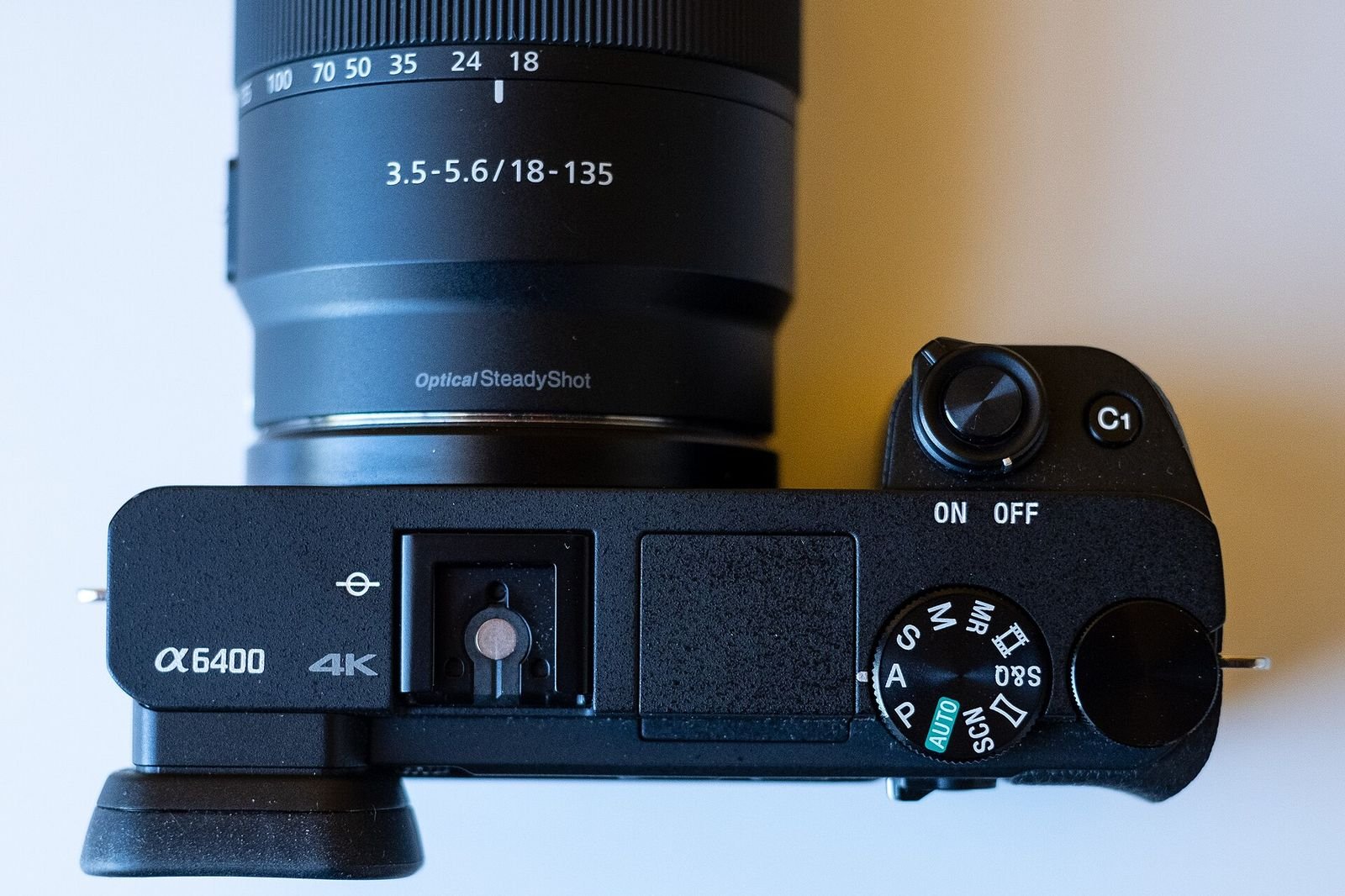
Photo: Settings on an Alpha 6400 camera by Kārlis Dambrāns, CC BY 2.0